 jooootv
Android TV, Google TV or neither? Find out what your TV runs
"Will it work on my TV?" depends on the TV's operating system, not its brand or size. Two TVs from the same company can run completely different systems. Here are the common ones, and how to check yours.
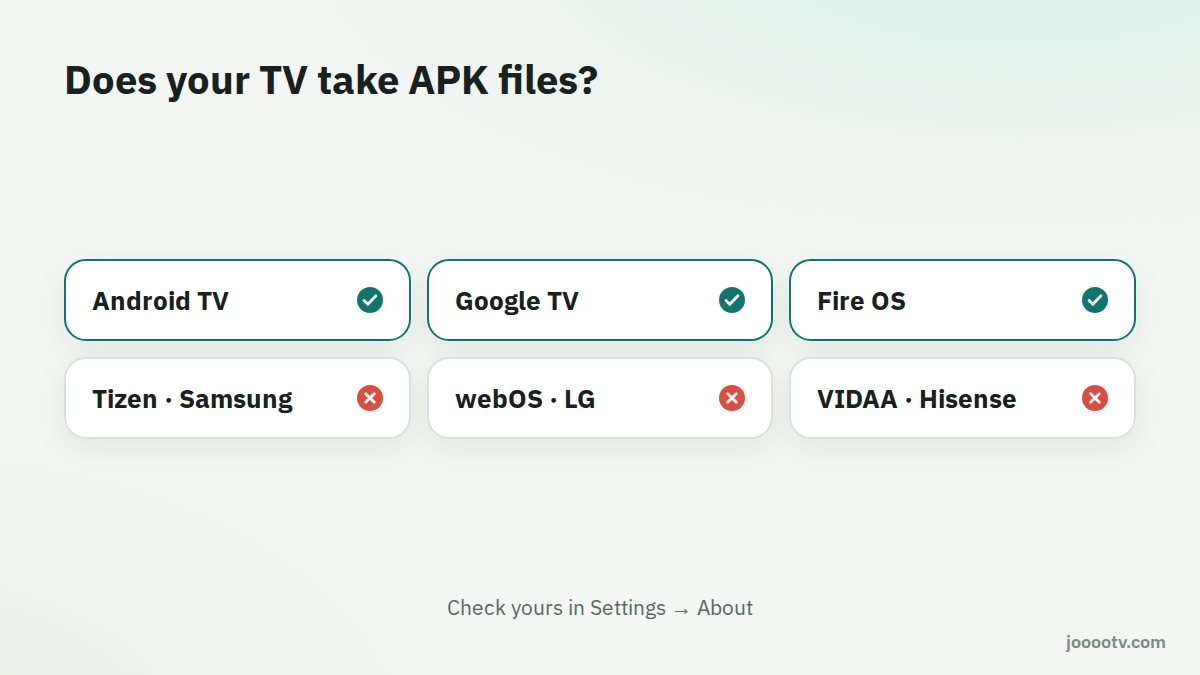
Android TV
Google's system for TVs, around since 2014. It's Android with an interface built for a remote. It has the Google Play Store and can install APK files once you allow unknown sources.
Google TV
Not really a separate system: it's a newer interface on top of Android TV, launched by Google in 2020. It pulls recommendations from your apps onto the home screen and supports multiple profiles, including a kids profile. For you, anything that runs on Android TV runs on Google TV, APK installs included. Some settings just live in slightly different places.
Fire OS
Amazon's system on Fire TV devices. It's built on Android and accepts APK files once developer options are on, but its store is Amazon's, not Google Play. See the Fire TV setup guide.
Tizen, webOS, VIDAA and Roku
- Tizen: Samsung's smart TVs.
- webOS: LG's smart TVs.
- VIDAA: many Hisense TVs, although some Hisense models run Google TV.
- Roku: much more common in the US.
None of these can install APK files. Your options are the TV's browser, putting your phone on the screen, or plugging a TV box or Fire TV Stick into an HDMI port. That last one is the most comfortable long-term.
How do I check my TV?
- Open Settings with the remote (the gear icon).
- Look for About or Device info, often under "System" or "Support".
- Look for the words Android TV, Google TV, Tizen, webOS or Fire OS.
Quick table
| System | Examples | Takes APKs? |
|---|---|---|
| Android TV / Google TV | Sony, TCL, Philips, Xiaomi, some Hisense | Yes |
| Fire OS | Fire TV Stick, Fire TV Cube | Yes, after developer options |
| Tizen | Samsung | No |
| webOS | LG | No |
| VIDAA | Many Hisense | No |
If your TV is one that can't take APKs and you're thinking about adding a box, read how to choose a TV box.
Ready? This button always opens the watch site at its current address.
Open the watch site