 jooootv
How much internet speed do you really need for HD?
A lot of "it keeps buffering" complaints come down to an internet connection that can't keep up with the quality you've picked. The good news: the numbers you need aren't big, and checking your real speed takes a minute.
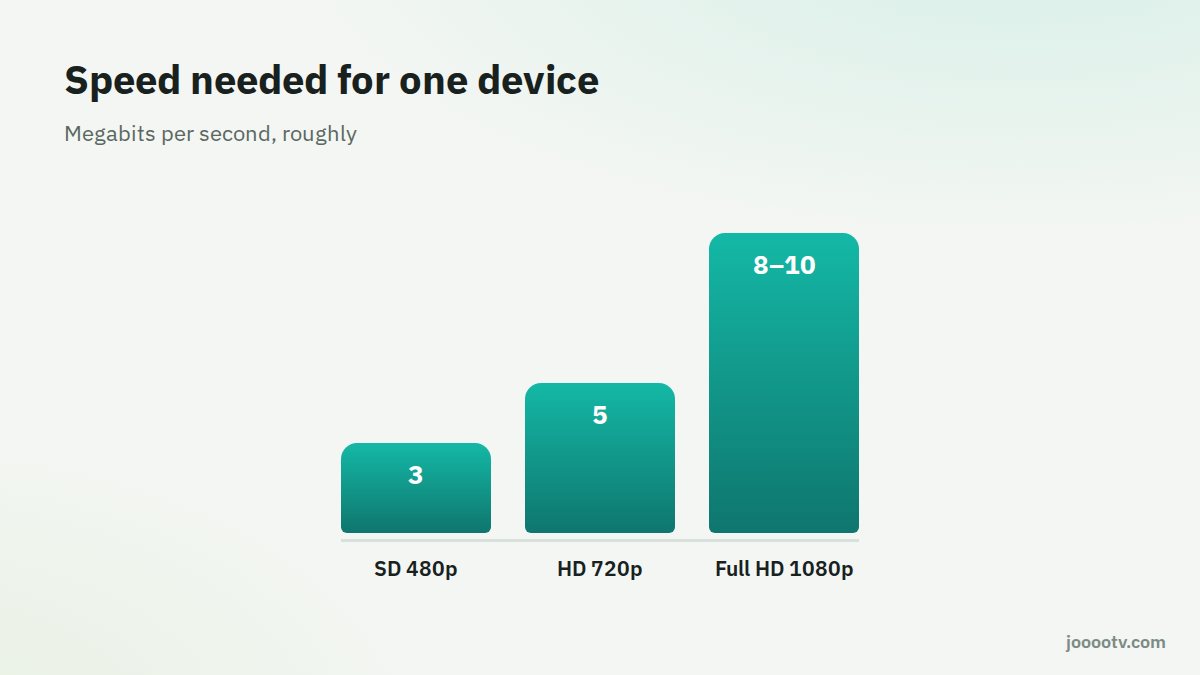
Roughly what each quality needs
| Quality | Resolution | Comfortable speed, one device |
|---|---|---|
| Standard (SD) | 480p | About 3 Mbps |
| HD | 720p | About 5 Mbps |
| Full HD | 1080p | 8 to 10 Mbps |
That's for one device. If one person's on the TV, another is downloading something and someone else is on a video call, add them all up.
Measuring your real speed
- Open a speed test like fast.com or speedtest.net on the device you actually watch on, not some other device in the house.
- Test at the time you normally watch. Evenings are usually slower than mornings because everyone's online.
- Look at the download number. That's the one that matters for streaming.
Why is my phone faster than the TV in the same house?
Usually because the TV sits far from the router or behind a wall, or it's stuck on the slower 2.4 GHz band. Try one of these:
- Plug the TV or TV box into the router with an Ethernet cable if you can. That alone sorts out most problems.
- Pick the 5 GHz network if your router has one and the distance is short.
- Move the router closer, or add a repeater or a mesh system.
Megabits vs megabytes
Internet providers sell speed in megabits per second (Mbps), but your phone shows file sizes in megabytes (MB). One megabyte is 8 megabits, so a 40 Mbps line downloads about 5 MB a second. You don't need to worry about it much. Just compare the speed test result with the table above, since both are in megabits.
Why does it slow down in the evening?
Between Maghrib and midnight, roughly, a huge number of people are online at once, and with many providers the real speed drops. Ramadan nights are the extreme case. If buffering only happens at those times, drop the quality in the evening, or take it up with your provider.
Things quietly eating your bandwidth
- Automatic updates on phones and laptops.
- Photo backups to the cloud.
- Security cameras uploading to the internet.
- Games downloading big updates in the background.
If your plan is fast enough and the problem won't go away, the issue is probably between the router and the TV. Start with our router setup guide.
Ready? This button always opens the watch site at its current address.
Open the watch site