 jooootv
Is your copy the real one? Six signs of a fake or modded version
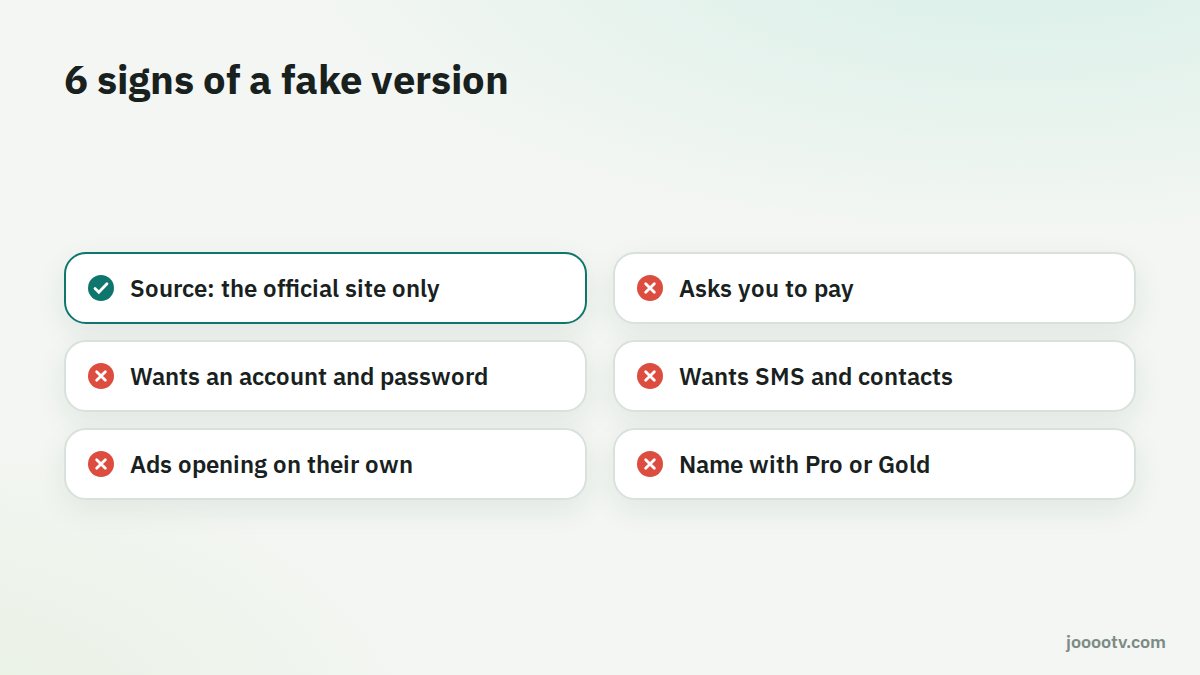
Popular free apps get copied constantly. Some copies are just old. Others have been tampered with to push nasty ads or grab permissions that have nothing to do with watching anything. Here are six checks you can do yourself.
1. Where did the file come from?
This matters more than everything else on the list. The official version comes from alooytv.com, or from buttons that send you there. Files that land in WhatsApp or Telegram groups, or on random "APK download" sites, could have been modified by anyone along the way.
2. Is it asking for money?
The service is free. A version that wants a monthly subscription, a "paid activation" or your card details is not the real one, however close it looks.
3. Does it want an account and password?
You don't need to sign up to watch. If an app wants your phone number, your email, or a Google or Facebook login before it shows you anything, stop there.
4. What permissions is it asking for?
A streaming app needs the internet, and that's about it. Access to your SMS, contacts, call log or "device admin" has no business being there. On Android you can check any app's permissions under Settings → Apps → the app → Permissions.
5. Are ads opening by themselves?
If ad pages start opening in your browser while you're not even using the app, or odd notifications show up on your home screen, you're very likely running a modded build. Delete it straight away and install the official one.
6. Is the name a bit off?
Knock-offs love spelling tricks: an extra letter, a number in place of a letter, or a word like "Pro", "Gold" or "Premium" tacked on. The current name is just AlooYTV. The old one was joootv.
Found out yours is fake?
- Uninstall it from Settings → Apps.
- If you typed a password for any account into it, change that password from another device.
- Download the official version from the official site and install it fresh.
Why do modded versions exist in the first place?
Because anything popular attracts searches, and someone hunting for an "ad-free version" or a "premium unlocked" build is an easy target. Whoever modifies the file might add their own ads to make money, slip in code that collects data from your phone, or try to sell a "subscription" to something that's free anyway. There's no good reason a modded version would be better than the official one.
An extra layer
Before installing any APK, you can scan it with a free tool in about a minute. See how to check an APK before installing it.
Only download from the official source.
Official download page