 jooootv
How to clear the cache on every device you own
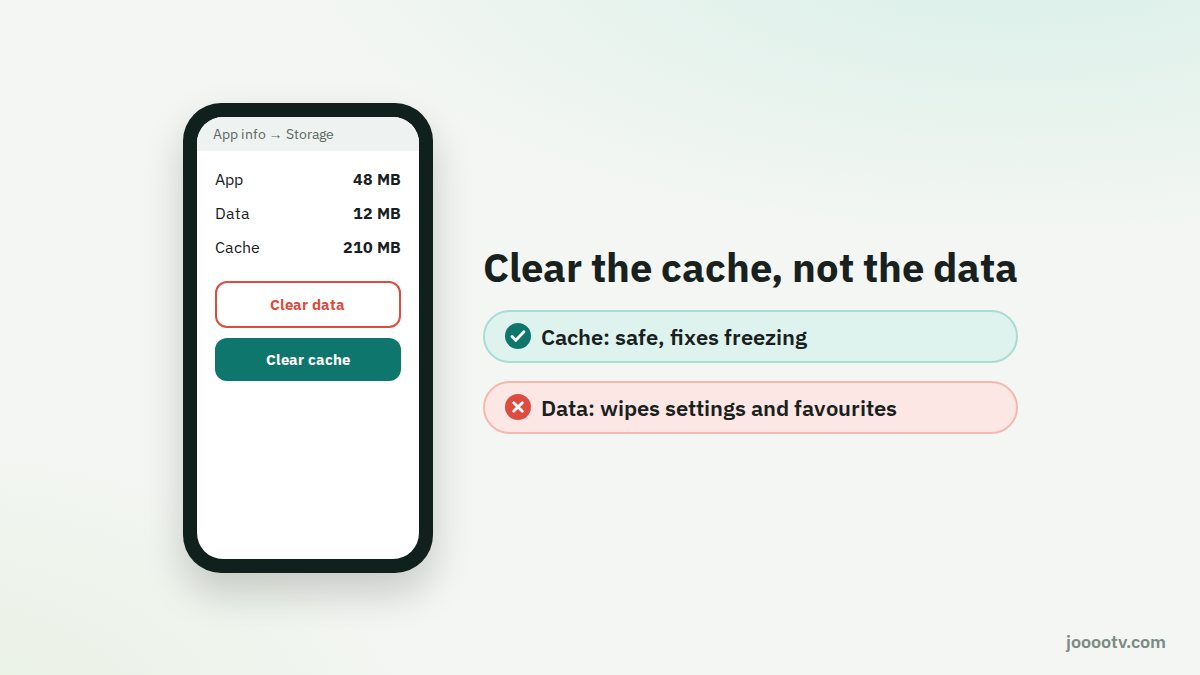
The cache is a pile of temporary files an app or browser keeps so it opens faster next time. Sometimes those files get corrupted or just build up, and the app starts freezing or showing old pages. Clearing it is safe and doesn't remove your apps or settings.
When should you clear it?
- The app freezes or closes by itself.
- A video always stops at the exact same point.
- The site shows an old layout or an old link even after refreshing.
- Storage is full, especially on TV boxes with little space.
"Clear cache" isn't "Clear data". Clearing data resets the app as if you'd just installed it, wiping its settings and favourites. Always start with the cache only.
Android phone
- Settings → Apps → pick the app.
- Tap Storage.
- Tap Clear cache.
Android TV and Google TV
- Settings → Apps → See all apps.
- Pick the app → Clear cache.
- If it still hangs, choose "Force stop" and open it again.
Fire TV
- Settings → Applications → Manage Installed Applications.
- Pick the app → Clear cache.
iPhone and iPad (Safari)
- For one site: Settings → Safari → Advanced → Website Data, find the site, swipe left and delete.
- For everything: Settings → Safari → Clear History and Website Data. This will log you out of other sites too.
Computer (Chrome and Edge)
- For one site: click the icon next to the address → Site settings → Clear data.
- For the whole browser: press Ctrl + Shift + Delete, tick only "Cached images and files", then clear.
- Hard refresh: Ctrl + F5 on Windows or ⌘ + Shift + R on a Mac reloads the page while ignoring the cache.
What about "cleaner" and "booster" apps?
Skip them. Android manages memory on its own, and a lot of these apps are stuffed with ads, ask for broad permissions, or kill background apps that then restart and use more battery than before. The manual steps above are all you need.
Cleared the cache and it's still acting up? Head to the buffering and black screen guide.
Ready? This button always opens the watch site at its current address.
Open the watch site