 jooootv
Buffering and black screens: finding the actual cause
Before deciding "the site's not working", figure out where the problem actually is. These three questions find the cause in most cases.
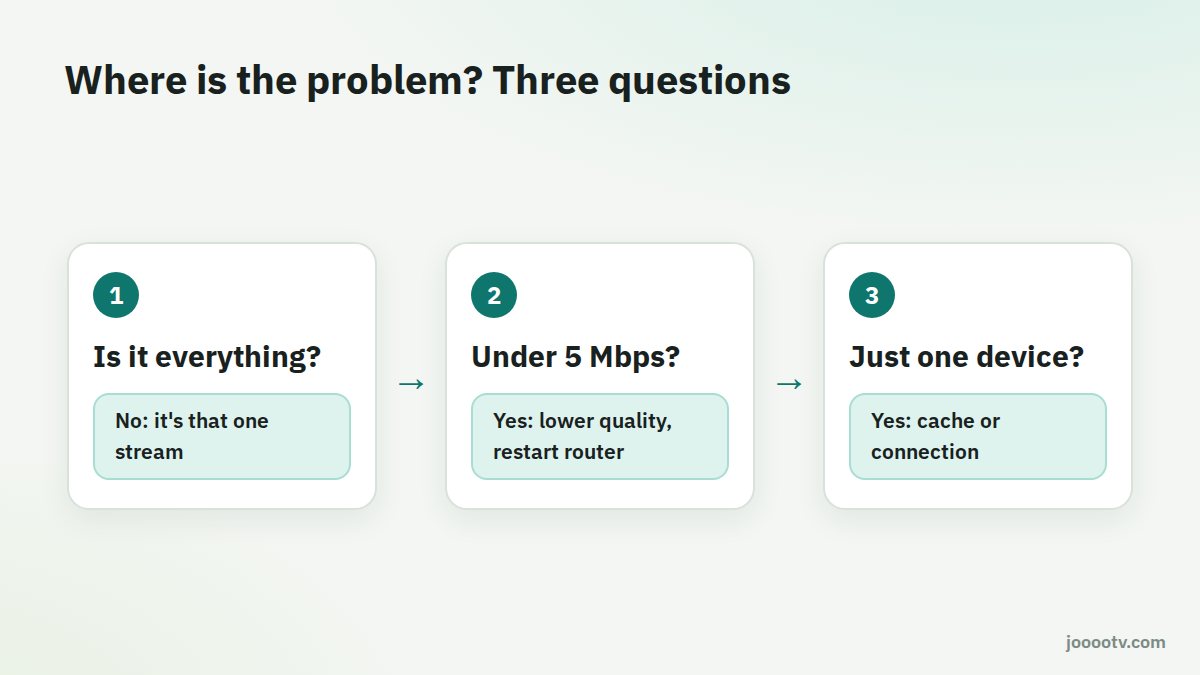
Question 1: is it every channel and episode?
- Just one channel or episode: the issue is most likely that particular stream. Try again in a few minutes, or switch server if the player offers more than one.
- Everything: move on to question 2.
Question 2: is the internet itself slow?
Open fast.com on the same device. If you're under 5 Mbps, buffering on high quality is expected.
- Switch the router off for a full minute, then back on.
- Pick a lower quality in the player settings.
- Pause downloads and updates on other devices in the house.
More detail in how much speed you need.
Question 3: is it only one device?
If the phone's fine and the TV keeps stopping, the problem is the TV or its connection:
- Clear the app's cache: Settings → Apps → AlooYTV → Storage → Clear cache.
- Close other apps: TV boxes with little memory slow right down when lots of apps run in the background.
- Update the app: older versions can struggle with some streams.
Black screen, with or without sound
- In a browser: turn off ad blockers for the site, or try a private window.
- On a TV: if the player has the option, switch between the system player and the built-in one.
- After an address change: an old saved link can open a page that no longer works. Open it from the "Watch site" button here instead.
Changing DNS: when does it help?
If the site's pages won't open at all, or open very slowly while the rest of the internet is fine, changing DNS can help. On Android 9 and later: Settings → Network & internet → Private DNS, then enter dns.google or one.one.one.one. If pages load fine and it's only the video stuttering, DNS probably isn't your problem.
Quick checklist
- Is it everything, or one stream?
- Is the speed on the device itself 5 Mbps or more?
- Have you tried a lower quality?
- Have you restarted the router and the device?
- Have you cleared the cache?
- Is the device close to the router, or on a cable? See router setup.
Most of the time it's sorted before you get to step four.
Ready? This button always opens the watch site at its current address.
Open the watch site